



Technical SEO Audit Checklist: 15 Steps to Fix Your Site
Hey small business owners! In the digital age today, having a strong online presence is everything. You may have a great site and great content, but if the underlying tech stack is wrong, your site may have trouble ranking. This post is a full technical SEO audit checklist to help you find and fix underlying issues, so your website is ready to rank and scale.
What is an SEO Audit Technical

What is a Technical SEO audit?
Technical SEO Audit: Complete assessment of technical aspects of your website that impact its search engine ranking. This makes sure that your content is crawlable, indexable, and readable for search engine bots, and it is very important for rankings. On-page SEO is all about content and keywords, and a technical audit is all about the infrastructure of a site and finding any technical problems that may be hurting performance. It’s a health check-up of your website’s engine to ensure it is well-oiled.
Why Small Businesses Need a Technical SEO Audit
Your technical S.E.O. audit checklist is such a vital part of how you’re going to boost your search visibility and eventually your bottom line. If search engines can’t crawl and index your site well, top content won’t be discovered. A complete technical SEO audit will help you avoid the most common SEO mistakes and improve the user experience, which in turn will enhance your organic ranking capabilities. Audits are an important part of any effective SEO strategy. Ignore these technical mistakes and you’ll have fewer visitors, less conversion, and wasted marketing expenses.
Technical SEO Audit Checklist Summary
This full technical SEO audit checklist will guide you through 15 key steps to evaluate and improve your website’s technical performance. We’ll take you through crawlability and indexation, site performance, schema markup, and all points in between. Use this technical SEO checklist to find and fix hidden SEO issues holding back your site. With this entire template, you will be able to:
SEO audit technical
Ensure your site is technically sound and ready for the search ranking climb.
Indexing & Crawlability 3.
Crawlability and Indexation

What Are Crawl Errors?
Crawling problems occur when search engine bots (or crawlers) can’t access your website’s pages. Such errors can block your content from being indexed and appearing in search and can cause serious damage to your rankings. Common crawl errors are 4xx errors (e.g., 404 Not Found, the link is broken or the page has been removed) and 5xx errors (server errors, there is a problem with the server). These problems are the foundation of a technical SEO audit checklist and should be performed regularly. If your content isn’t crawlable, search engines can’t discover your important information.
Indexing problem in Google Search Console
Google Search Console is an essential tool for troubleshooting indexing problems and is a critical part of any technical SEO audit checklist. Google’s free tool shows you how Google sees your website and tells you what pages are indexed and what pages are not. Can be used as
Look for crawl errors.
<sitemap> <loc>https://www.example.com/sitemap.xml</loc> </sitemap> Find “Currently Not Indexed Pages.”
Develop a process to review your coverage report in Google Search Console to find issues such as duplicate content, pages blocked by robots.txt, or server errors. It allows you to clean up and increase your visibility in search engines.
Optimizing Your Site with Your robots.txt File
Optimizing Your Site with Your robots.txt File
The robots.txt file is a powerful way to tell search engine crawlers which parts of your site they can and cannot crawl. Your robots.txt file is an essential part of any technical SEO audit checklist you may edit for better crawlability and indexation. Odds are you don’t even realize it, but a bad robots.txt file can block important pages from being indexed. Instead, a well-optimized robots.txt file helps crawlers avoid wasting time crawling redundant or duplicate content. Be sure to pay special attention to your robots.txt file and make sure it is allowing access to all the pages you want indexed and disallowing access to the pages you don’t. This will help the search bot crawl.
Site Structure and Internal Links

XML Sitemap Generator
An XML sitemap is a map that search engine crawlers can use to find all the important pages on your website that you want indexed. One of the key items on any technical SEO audit checklist is a proper XML sitemap. It’s important to build it and keep it up-to-date. This makes it easier for search engines to find new content and helps ensure that all useful URLs are discovered even if they are not linked correctly internally. One of the most important steps to improve crawlability and make sure your content gets the right exposure in search results is submitting your sitemap to Google Search Console.
Why Structured Data is Important
Structured data (also known as schema markup) helps search engines to understand the context of your content and can lead to more informative search results (also known as “rich results”): A proper schema markup is a technical SEO audit checklist item that should be implemented. It improves your click-through rates greatly and your visibility. This gives search engines important clues about what your page is about, such as product specs, reviews, or a local business’s details—to help them rank your website higher in search results. This could also improve your ranking in search results as well as the overall user experience.
Internal links crawlability
Internal links are a major part of your site’s SEO, helping to pass along “link equity” and improving crawlability and user experience. The internal link audit is one of the most important things to have on any technical SEO audit checklist. Strategic internal linking helps search engine bots index new pages and understand content hierarchy. They also link to related content which helps keep a reader on the site longer and lowers bounce rates. Broken internal links are important for a healthy site structure and avoiding crawl errors that can impact your search engine rankings.
User Experience & Core Web Vitalities

What are Core Web Vitals ?
Google is starting to use Core Web Vitals as a ranking factor. Core Web Vitals are a set of user experience metrics. They are Largest Contentful Paint (LCP) for loading performance, Interaction to Next Paint (INP) for interaction, and Cumulative Layout Shift (CLS) for visual stability. These KPIs should be in your checklist of a technical SEO audit. Core Web Vitals are a great indicator of user experience and Google rewards them with better visibility in search results and higher rankings to help your website grow.
SEO Page Speed Optimization
Page Speed: The speed of your pages is a vital part of the user experience and search engine ranking and should be a priority on any technical SEO audit checklist. A slow loading website can easily frustrate the users and increase the bounce rate. A high bounce rate signals to the search engines that your site is a bad experience. Increase site speed for example.
Image Optimization:
- Use of browser cache
- Optimize CSS & JS
- Utilize a content delivery network (CDN)
Faster websites are better for crawlability, user engagement, and your overall search exposure.
Mobile Optimization Best Practices:
With most of the traffic on the internet now coming from mobile, making your website mobile-friendly is no longer a “nice-to-have” but a “must-have” on your technical SEO audit checklist. Mobile Optimization Mobile optimization means your site is mobile-friendly, loads quickly on mobile devices and provides a seamless experience for consumers on multiple devices. Google now uses mobile-first indexing which means they use the mobile version of your site to rank it. Don’t underestimate the importance of regularly reviewing your mobile friendliness, clickable items and viewport settings – don’t lose out on your search ranking and get lost to a wider audience.
Technical SEO Audit Checklist: Common Problems and Solutions

How to Find and Fix Dead Links
Broken links are a vital part of any technical SEO audit checklist and can have a massive impact on crawlability and user experience. 404 errors result from broken links, whether internal or external, which frustrate users and indicate to search engines that your site might not be well-maintained. You can find these errors using a tool like Google Search Console or a site audit tool. Check for broken links regularly and repair them. This will enable the search engine crawlers to crawl your site and not do any damage to your search engine rating and general search visibility.
How To Resolve Duplicate Content Issues
Duplication of content can be a big problem for your search engine ranking because it can confuse the search engine bots as to which version of a page they should index and rank. Duplicate content is one of the most important things to check on the technical SEO checklist. This commonly happens when you can view the site both with and without the “www” or when you have identical product descriptions on different URLs. These are called canonical issues (or canonicalization issues), and these are usually solved with 301 redirects or canonical tags. This will enable your site to have a canonical version of each piece of content and will improve your chances of content ranking.
Canonical Tags to Avoid Duplicate Content
A canonical tag is a powerful HTML element that tells a search engine which is the “master” or preferred version of a page if there is duplicate content. Get your canonical tags right, a must-have on your technical SEO audit checklist. This stops search engines from splitting ranking signals between duplicate or related sites, consolidating link equity and increasing the search engine score of your primary content. When used correctly, canonical tags tell crawlers about your site’s organization and help make sure your key pages get the most benefit from your SEO efforts.
Optimization Techniques

How to Create SEO-Friendly URLs
Creating SEO-friendly URLs is one of the fundamental optimization strategies and it should be the first thing on your technical SEO audit checklist. A good URL is descriptive, short and has keywords about what the page is about. Good URLs should be human- and search engine-readable. Long complex URLs with too many keywords are not user-friendly and can affect your rank in the search engine. Clean URLs are easier for search engines to crawl and send clear signals on the subject of your page to search engines, thus improving your overall search visibility.
Redirects – Best Practice
One of the most important things that you should have on any technical SEO audit checklist is making sure you have your redirects implemented properly, especially when you’re moving content or reworking your website. A 301 redirect tells search engines that the URL has been moved permanently and passes most of the “link equity” from the old page to the new page, helping to maintain your search engine rating. Crawl errors and lost traffic can be caused by poorly implemented redirects (302s to permanent changes, redirect chains, etc.). We should regularly check if redirects are still there and if they have SEO value.
On-page SEO optimization.
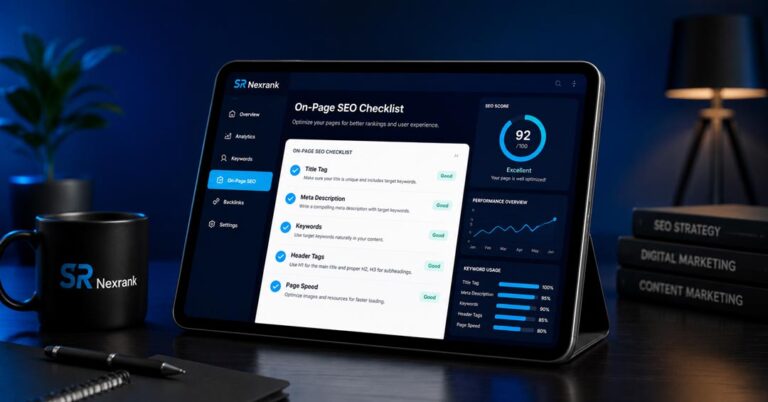
A technical SEO audit checklist is more of an infrastructure type. There are still plenty of on-page SEO factors that are very much tied to website performance and user experience.This means optimising your title tags, meta descriptions and header tags with the right keywords to improve click through rates and help search engines better understand your content. These are not core technical issues, but they are very important for your search visibility and growing your website’s search engine ranking. Should be technically accurate and well written (e.g. within character limits).
Conclusion and Next Steps

Recap of the Technical SEO Audit Checklist
I have run this post through a full tech SEO audit checklist. Here are 15 critical steps to fix and sort out technical issues that may be affecting your site search rank performance. Optimize your robots.txt files and XML sitemaps to enhance crawlability and indexation. Core Web Vitals & Mobile Optimized for a better user experience All you need for your search engine job We also talked about fixing broken links, duplicate content and implementing proper redirects. All are important for a healthy website and great search visibility.
How to Continuously Monitor Your Site’s SEO Health
Technical SEO auditing is not a one-off activity. Check your site’s SEO health. Be on the lookout for any new technical problems that arise. Check Google Search Console regularly for crawl errors, index issues and Core Web Vitals performance. Regularly use a site audit tool to uncover broken links, duplicate content and other technical issues. So, if you want the best consistent ranking on search engines & continuous growth of your website, just follow your technical SEO checklist.
Call to Action: Contact SRNexRank for Professional SEO Help
For busy small business owners, a technical SEO audit checklist might seem daunting. If you’re overwhelmed or you want to ensure your website is technically optimized well, you can use SRNexRank. Our specialists have wide experience in technical audits and know how to identify and solve major SEO issues to improve visibility and ranking in search. Technical problems shouldn’t hold your business back. Contact SRNexRank now and unleash the power of your website with professional SEO services!
Frequently Asked Questions

FAQ | Frequently Asked Questions | What is included in a Technical SEO audit?
A technical SEO audit is a deep-dive into the architecture of your site to make sure that search engines are able to crawl, index and rank your content without a hitch. When you are creating your technical SEO audit checklist, you will want to include things such as checking for crawl issues, optimizing your robots.txt file and XML sitemap, analyzing your use of canonical tags and redirects, and doing a site structure audit. It also includes Core Web Vitals, mobile optimization, your site’s speed, and how to find broken links or duplicate content issues to improve overall search visibility and user experience.
How often should you do a technical SEO audit?
How often should you get a technical SEO audit? This will vary based on a number of factors, but, in general, it is suggested you perform a full technical SEO audit at least once per year. Sites that are frequently updated with new content or experience a major change in site layout may need to be audited more often (quarterly or bi-annually). It is also essential to review Google Search Console between comprehensive audits for fresh crawl difficulties or index issues to preserve top search engine position and fix technical issues in a timely manner.
Yes, you can do a technical SEO audit yourself. Yes.
For example, small business owners can do much of the technical SEO audit work themselves, especially if they have this detailed technical SEO audit checklist. Google Search Console and the like give great insight into crawlability, indexing issues, and Core Web Vitals. More technical issues, such as more serious server-side issues or implementation of schema markup on a large scale, can often require the expertise of an SEO professional. Want to dig deeper? Read our previous posts on why your website is not ranking and on the on-page SEO checklist.
Technical SEO audit tool. What is it?
There are plenty of tools out there to help you do a full technical SEO audit. Monitoring crawl faults, indexation problems, and Core Web Vitals in Google Search Console is important. Some other popular site auditing tools are Screaming Frog SEO Spider (to crawl the entire site); Ahrefs or Semrush (to dig deeper into the technical side of things); and GTmetrix or PageSpeed Insights (to improve page speed). These tools will help you to find broken links, duplicate content, meta tag errors, and other technical issues that matter for your search engine ranking.
Technical SEO is how well your website ranks on the search engine results pages.
Technical SEO is a fundamental basis for how your website is ranked by search engines. If there are technological issues, even if your content is very good, search engines will not be able to crawl and index your pages properly, and your material will not appear in search results. A technical SEO audit checklist allows the search engine spiders to explore and understand your website, and it has a direct impact on your exposure. Optimize for Core Web Vitals, mobile-friendliness, and a clean site structure to give your users a better experience and Google more growth and higher rankings for your website.
About the Author
This article was written by Sayabur Rahman, an experienced SEO specialist and founder of srnexrank.com. With hands-on expertise in technical SEO, YouTube SEO, and digital marketing, Sayabur helps US-based small businesses grow their online presence and rank higher on Google. For professional SEO help, visit srnexrank.com.


This is one of the most practical and complete technical SEO audit checklists I’ve read for 2026. I really like how it breaks down complex SEO concepts into simple, actionable steps that even small business owners can understand and apply. A strong technical foundation is often the hidden factor behind higher rankings, and this guide explains that perfectly.
Thank you so much for the kind words! Glad it added value — more practical SEO guides coming soon.