


Posting videos every week, doing everything right — and the view count barely moves? I see this all the time with the small business channels I work with across the USA, Canada, Australia, and the UK.
Here is what I have learned: the videos are usually not the problem. It is the small stuff around them. A channel page that never quite says what the channel is about. Titles written for the creator, not for search. Videos that lose people in the first half minute. Half a dozen small leaks like these can stall a good channel for months.
A YouTube channel audit is just a way of finding those leaks, one by one. Open your own channel next to this checklist, mark each point pass or fix, and by the end you will know exactly what to fix first. No more guessing. No more posting and hoping.

Start With the Numbers, Not Your Feelings
Before you change anything, look at the last 90 days in YouTube Studio. Feelings lie; numbers usually do not.
1. Check your traffic sources
Open Analytics, then Reach. Where are views coming from — search, suggested videos, browse, or outside YouTube? Almost no search traffic usually means a title and keyword problem; search traffic but low clicks means a thumbnail and title problem. Write down your top three sources, and fix in that order.
2. Check click-through rate and average view duration together
Never judge one without the other. A low click-through rate, usually under 3 to 4 percent for a small channel, means people see your video and pass it by. A short average view duration means they click, then leave early. If both are weak, start with packaging — title and thumbnail. If clicks are fine but watch time is short, your problem is inside the video (point 10 below).
3. Find your best and worst videos — and ask why
Sort your videos by views, then by watch time, and compare your top three with your bottom three. Often the pattern jumps out: the winners answer one clear question, the losers try to cover five topics at once. Note that pattern — you will use it for every video you plan next.
Fix the Channel Page First
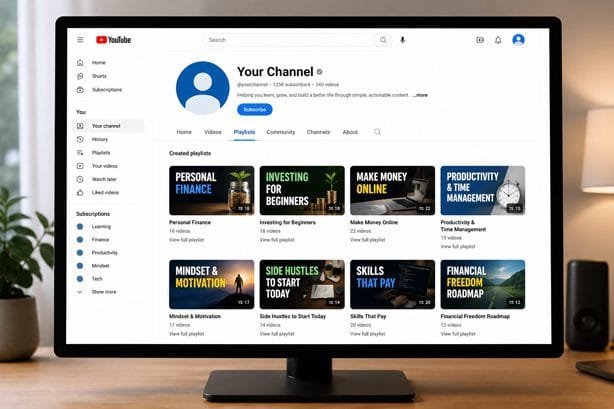
People judge a channel in about ten seconds. If that first look is messy, they leave before watching anything.
4. Make it clear what the channel is about — in ten seconds
Open your channel page as a stranger would. Can you tell, without a paragraph of reading, who the channel helps and what it makes? Your banner, description, and first three videos should answer that. If a visitor has to guess, rewrite the description in one or two plain sentences. One promise, clearly stated.
5. Clean up playlists and featured sections
Playlists are not decoration. They are how a new viewer watches a second and third video without thinking. Group videos by topic, give each playlist a clear, searchable name, and put your strongest one at the top. Delete empty playlists and half-finished series. For the basics of titles, descriptions, and tags, my earlier guide on YouTube SEO tips is a good companion to this audit.
6. Check your branding and links
Does your profile picture read clearly at small size? Does your banner still match what you do? Are your links working, or do they lead to an old page? Trust is built before anyone presses play. Fix broken links the same way you would on a website — my technical SEO audit checklist uses the same habit: find it, fix it, move on.
Fix How Each Video Is Found
A great video nobody can find is just a private video with extra steps.
7. Audit your titles and thumbnails as a pair
Look at your last ten videos in a row. Do the titles say what a real person would search for? Do the thumbnails make sense without the title? A common mistake is clever titles — funny, vague, or full of the creator’s name — that no searcher would ever type. Put the main topic first, keep the promise honest, and make the thumbnail show one clear idea. For more click ideas without clickbait, read how to get more YouTube views.

8. Check search intent, not just keywords
A keyword is not a plan. Ask what the searcher actually wants: a how-to, a comparison, a quick answer, or a full walkthrough? A how-to video that opens with a five-minute life story will lose people fast, even if the keyword is right. Match the first minute to the promise in the title. That one change has rescued more channels in my work than any new tool.
9. Review descriptions, tags, and chapters
Descriptions still matter, even if fewer people read them. The first two lines should restate the topic and benefit in plain words, because that is what shows in search. Add chapters for longer videos so viewers can jump to the part they need. Tags will not save a weak video, but accurate tags and a complete description help YouTube place it in front of the right people. The same discipline in my on-page SEO checklist applies here, in video form.
Fix What Happens After Someone Clicks
Getting the click is only half the job. Keeping the viewer is the other half, and it is where most small channels quietly lose.
10. Watch your first 30 seconds like a stranger
Play the opening of your last five videos and stop after 30 seconds. Did you state the topic, the benefit, and why the video is worth finishing? Or did you spend that time on a long intro and a subscribe request? Viewers decide fast. Put value first and the channel intro later, if at all.
11. Check retention graphs for the drop-off point
In YouTube Studio, open the retention graph for a recent video. Where does the line fall off a cliff? That moment is your lesson: a slow section, a topic change without warning, or a promise never delivered on. Rewrite that section for your next video. One fixed drop-off per video, repeated over a month, changes a channel more than a full rebrand.

Turn Viewers Into Subscribers
A channel grows when one video leads naturally to the next.
12. Give viewers a next step — and a reason to subscribe
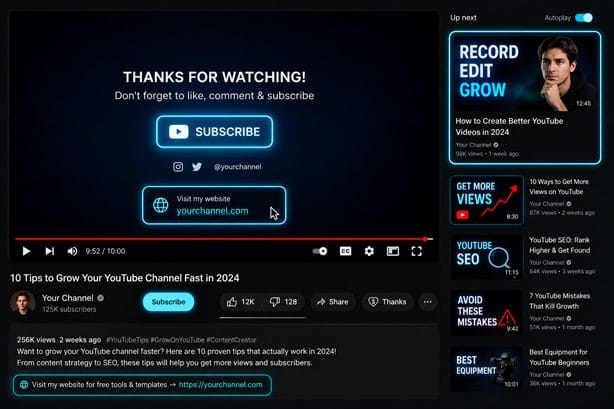
End every video with one clear next step: the related video, the playlist, or the question for the comments. Not three steps. One. And give a reason to subscribe that is about the viewer, not you: what will they get next week? End screens and cards should point to that next video, not your homepage. If you need help turning these fixes into a system, the services page explains how SR Nexrank works with small business channels — but try the checklist yourself first. Most fixes cost nothing except an honest hour.
Your 30-Minute YouTube Channel Audit Plan
You do not need a weekend for this. Set a timer: 10 minutes on numbers (points 1 to 3), 10 minutes on the channel page (points 4 to 6), 10 minutes on your last five videos (points 7 to 12). Write down three fixes only — the three that would change the most. Do those this week, then run the audit again in 30 days and compare the same numbers.
Frequently Asked Questions
How often should I audit my YouTube channel?
Audit fully once a quarter, and do a quick version — traffic sources, click-through rate, retention — once a month. A small problem left for six months becomes a much harder habit to break.
What is a good click-through rate for a small channel?
There is no single good number — it depends on topic and competition. As a rough guide, many small channels sit between 2 and 5 percent. What matters more is the trend: if your rate is rising on similar videos, your packaging is improving. Compare like with like, not a tutorial with a vlog.
Should I delete old videos that perform badly?
Usually no. Deleting removes watch time history and can break playlists and links. Instead, update the title and thumbnail if the video is still useful, or unlist it if it no longer represents your channel. Delete only videos that are wrong or outdated in a harmful way.
How long does it take to see results after an audit?
Packaging fixes can change clicks within days. Retention and subscriber growth take longer, usually four to eight weeks, because YouTube needs new data to learn who your audience is. Judge the audit after a month of fixed videos, not one upload.
Can a channel audit help if I only post once a month?
Yes, but slowly. If you post rarely, each video has to work harder, so the title, opening, and next step matter even more. Fix those first.
Do I need paid tools to audit my channel?
No. YouTube Studio gives you everything here: traffic sources, click-through rate, retention graphs, and search terms. Paid tools can speed up keyword research, but they cannot replace watching your own videos honestly.
Conclusion
None of this is about blaming your videos. Most channels I audit are making decent videos — they are just leaking viewers in places the creator never thought to look. Run the 12 points, fix the three biggest leaks this week, and check the same numbers again in a month. The numbers will tell you the truth about what changed.
Written by Sayabur Rahman, founder of SR Nexrank, a Bangladesh-based SEO agency serving small businesses in the USA, Canada, and Australia. Connect with Sayabur on LinkedIn.